Subscription tracking
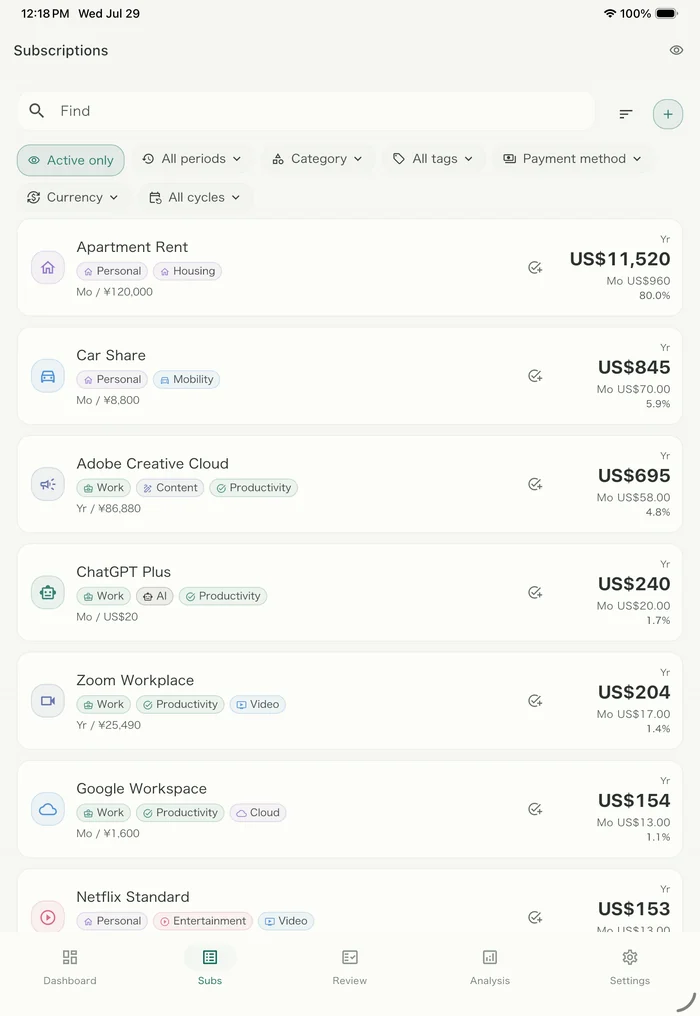
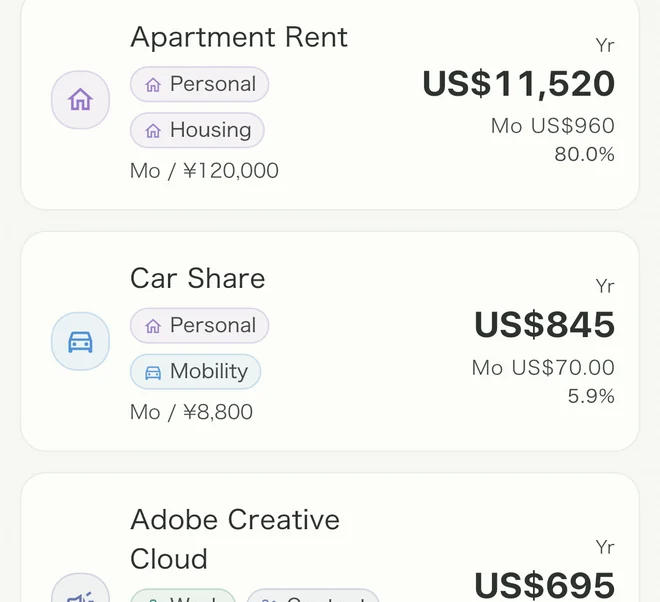
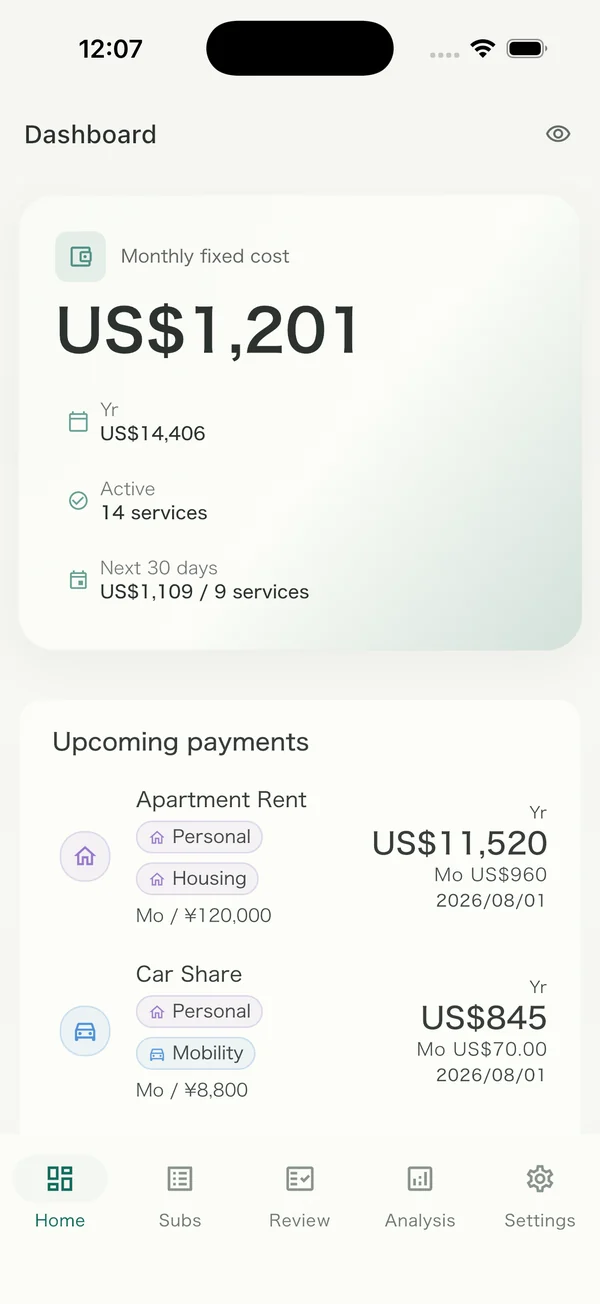
Every service you pay for, in one list. Next billing date and yearly total calculated for you.
For households & freelancers
Costfolio gathers every recurring cost in one calm list — and quietly tells you which ones you’ve stopped using.
Free to start, no account needed. One App Store app for iPhone, iPad and Mac.
Features
Every service you pay for, in one list. Next billing date and yearly total calculated for you.
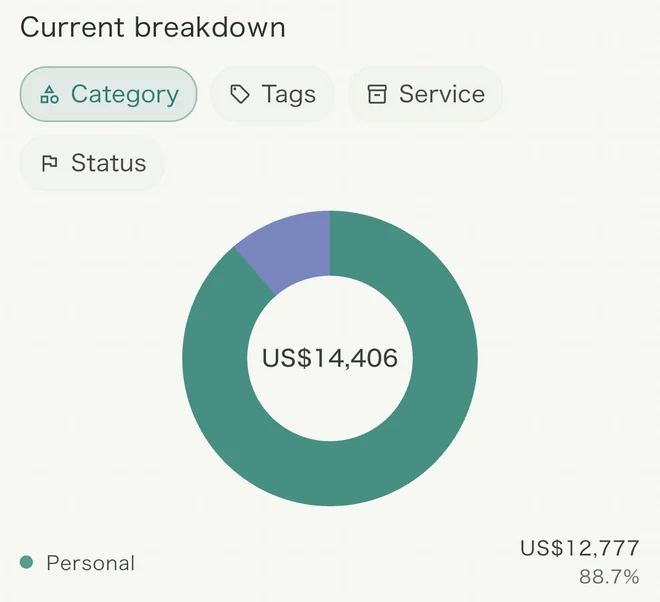
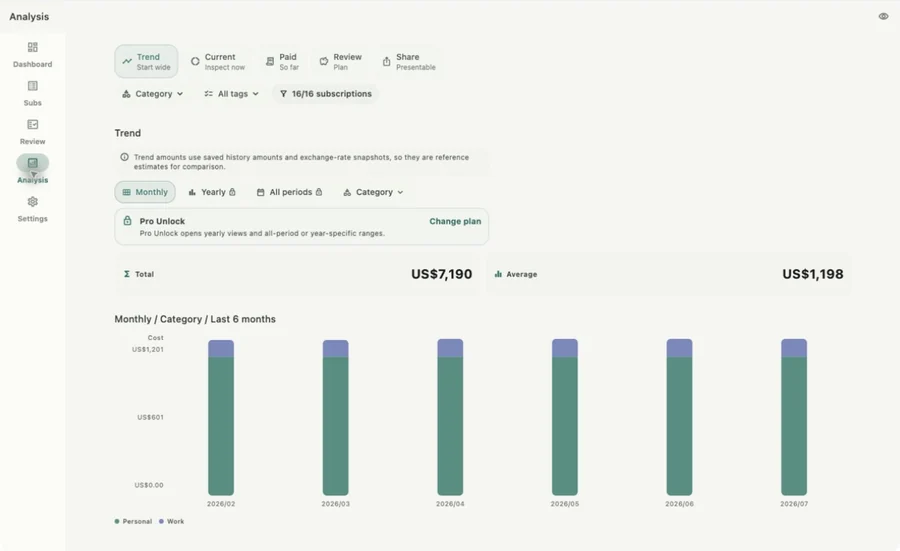
The current breakdown, what you've paid so far, and how the monthly total has moved.
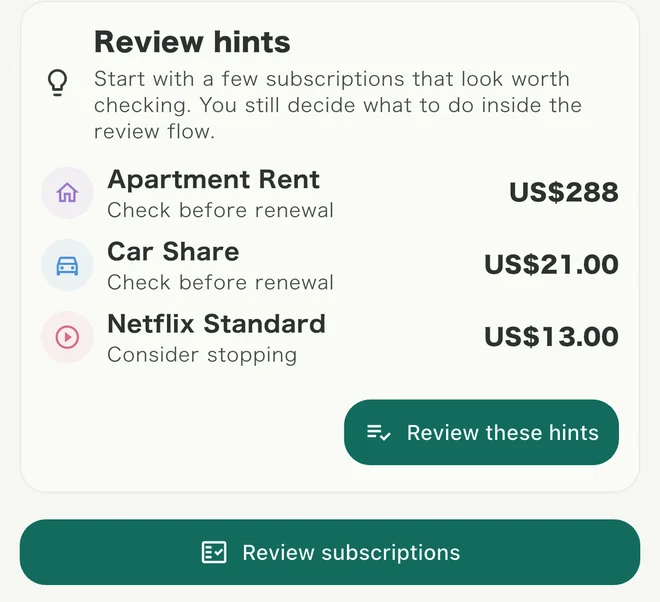
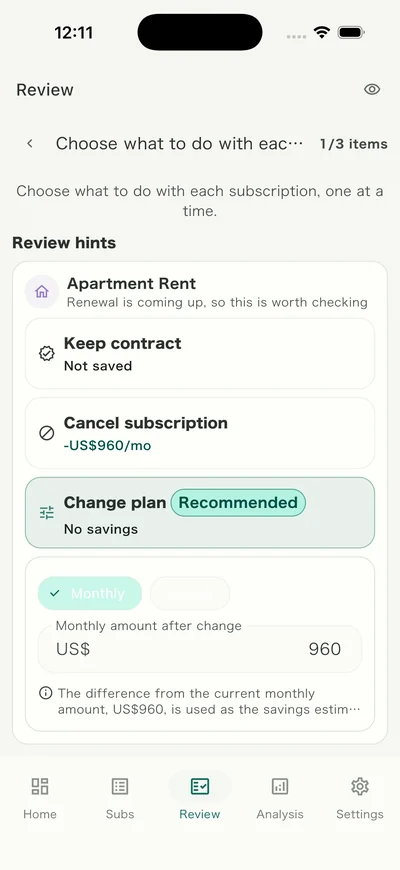
Costfolio surfaces the subscriptions worth a look before they renew. What happens to each one stays your call.
Household — Miyu, 34
“We were both paying for the same music plan. Costfolio showed it on day one.”
Freelance — Ken, 29
“Tax season used to mean hunting through a year of receipts.”
Devices
iPhone, iPad, Mac and Android — the same app, the same layout. Turn on Cloud Pass and everything syncs automatically.
Pricing
$0
$79.99USD
$3.33USD
$3.99USD
Approximate monthly equivalent. Billed annually at $39.99.
Pro Unlock and Cloud Pass are purchased inside the app. Check the renewal period, cancellation and refund terms on the App Store or Google Play before you buy. Prices shown are for the US store — your own store charges in your local currency, so the amount there may differ.
Compare
Scroll the table sideways to see every plan.
| Feature | Free | Pro Unlock | Cloud Pass |
|---|---|---|---|
| Recording and managing | |||
| Register and manage fixed costs | Included | Included | Included |
| Contract period, end date and history | Included | Included | Included |
| Categories, tags and payment methods | Included | Included | Included |
| Free-trial and promo price tracking | Not included | Included | Included |
| Analysis | |||
| Dashboard and current breakdown | Included | Included | Included |
| Monthly trends, last 6 months | Included | Included | Included |
| Yearly and all-time trends | Not included | Included | Included |
| What you have paid, in total and by service | Included | Included | Included |
| Breakdown by period and payment method | Not included | Included | Included |
| Review | |||
| Review list and completion record | Included | Included | Included |
| Review by usage, high cost and trials | Included | Included | Included |
| Review by satisfaction, monthly target and overall | Not included | Included | Included |
| Sharing | |||
| Share images and templates | Included | Included | Included |
| Hide or round the amounts before sharing | Included | Included | Included |
| Share card colour and theme | Not included | Included | Included |
| Notifications and appearance | |||
| Reminders before a payment date | 1 | Up to 3 | Up to 3 |
| Choose the notification time | Not included | Included | Included |
| Per-subscription notification settings | Not included | Included | Included |
| Monthly review reminder | Included | Included | Included |
| Theme colours | 3 colours | All 5 | All 5 |
| Data and cloud | |||
| Stored on this device | Included | Included | Included |
| CSV import and export | Included | Included | Included |
| Cloud backup, manual and automatic | Not included | Not included | Included |
| Restore and merge from the cloud | Not included | Not included | Included |
| The same data on several devices | Not included | Not included | Included |
| Account registration | Not needed | Not needed | Required |
In the Cloud Pass column, the items it shares with Pro Unlock are available while the subscription is active.
No. With Free and Pro Unlock you can record and review your fixed costs without an internet connection. An account is only needed for what Cloud Pass adds — cloud backup and use across several devices.
No bank connection. You add subscriptions yourself, so your credentials never leave your bank.
If you might change device, or want the same records on more than one — an iPhone and a Mac, or an iPhone and an Android phone — Cloud Pass is the one to pick. Your records are kept in the cloud, so they carry over. The Pro features are included while the subscription is active.
If you would rather avoid a subscription and pay once, Pro Unlock is that option. Buying it on an iPhone opens the Pro features on an iPad and a Mac too. Your records stay separate on each device, though, so moving to a new one means transferring a CSV by hand, which does not bring back contract history or review records. Combining with an Android phone needs Cloud Pass.
The Pro-level features are available for as long as a Cloud Pass subscription is active, and stop when you cancel. What you already created stays, though — you can still view it, edit it normally, and export CSV. If you also bought Pro Unlock, the Pro features remain after cancelling.
Yes. Your data stays on each device, and you can export CSV at any time.